Cutting Edge AI Tools and Harnesses for People Who Are Not Developers
From basic prompts to terminal AI tools: the most complete course on using ChatGPT, Claude, and AI for real office work. No code required. No technical background assumed.
You've used ChatGPT. You've asked it to write an email, summarise a document, maybe brainstorm a few ideas. It was useful. Sometimes.
But you also know, quietly, without saying it, that you're probably using it wrong. Or at least not using it well. The output needs too much editing. The responses feel generic. You're not sure what you're supposed to ask, or how to ask it, or whether the tool you're using is even the right one.
Meanwhile, there's a layer of AI tools that most business professionals have never heard of. Terminal-based tools like Claude Code that were built for developers — but turn out to be extraordinarily powerful for non-coding work. Document analysis. Multi-file research. Complex workflows that would take a human an afternoon... and take an AI agent forty-five seconds.
The problem isn't that you're bad at AI. The problem is that nobody has taught you how to use it properly for office work. Not for coding. Not for content creation tricks. For the actual work you do: emails, documents, research, data analysis, meetings, decisions.
This course takes you from "I type things into ChatGPT and hope for the best" to building custom AI assistants that understand your business context, your writing style, and your specific workflows. Then it goes further, into terminal AI tools most business people have never used, taught in a way that doesn't assume you've ever opened a terminal before.
Here's what changes:
- You'll clear your email inbox in half the time with better responses.
- You'll turn complex data into clear insights without a data team.
- You'll build custom AI assistants that remember your context and work the way you work.
- You'll use terminal AI tools that 99% of business people have never heard of.
- You'll stop doing repetitive tasks manually.
- You'll become the person your company turns to on AI — without writing a single line of code.
Why This Course Is Different
This isn't another theoretical course showcasing "cool AI tricks" that don't apply to your daily work. It's also not a course for programmers or engineers who want to learn the business side of artificial intelligence.
It is a course for business people like you who want to learn practical, real-world applications of AI that you can use immediately to:
- Turn 8-hour workdays into 3-hour focused sprints without sacrificing quality.
- Let AI handle the repetitive tasks while you focus on strategic work.
- Finally have time for the big-picture projects you've been putting off.
- Make decisions with clear, data-backed analysis from AI.
- Become the go-to AI expert in your company or industry.
A Prediction: Terminal-based AI tools like Claude Code are the future. At some point, people are going to catch on that they can do much more than code, and entire workflows will change. It's either going to be in their current form, or wrapped up in a pretty user interface as a software product. But YOU can get started now with what you learn in this course, while everyone else is still figuring out basic prompts.
What You Will Actually Learn
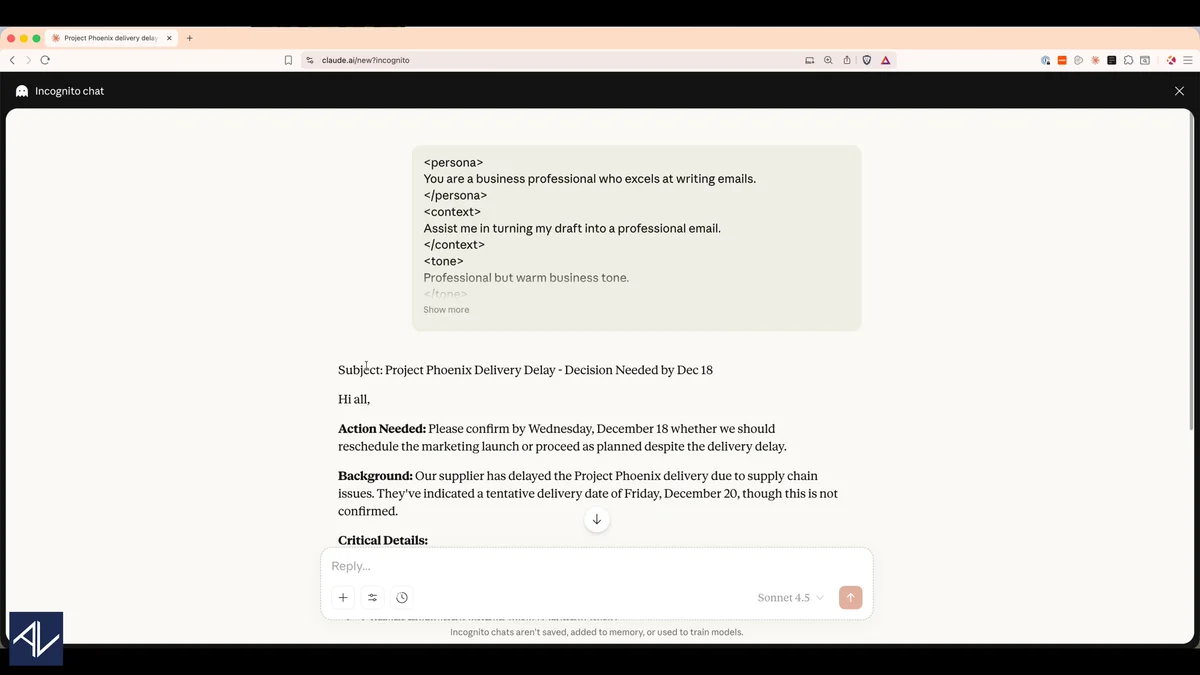
Prompt and Context Engineering: The Foundation
Most people write bad prompts because nobody taught them the principles. This section teaches you how to write prompts that get what you need the first time, and how to create reusable custom contexts so AI remembers your preferences, your writing style, and your business situation.
The difference between a mediocre AI user and a powerful one isn't the tool. It's the input.
"This course is well organized and well articulated... even though I've been playing with AI a lot, I still learned a lot. It's really eye-opening what we can do these days..."
— Patrick K
Everyday Office Scenarios
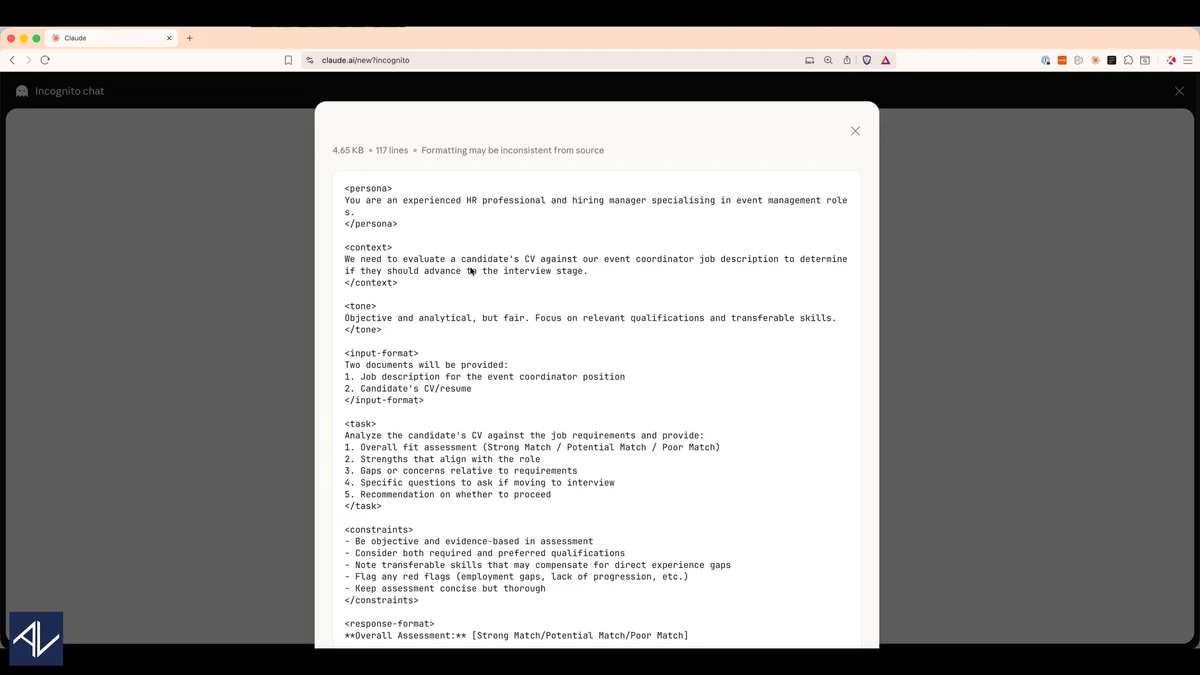
Practical application across the work you actually do: clear your email inbox in half the time with better responses; summarise YouTube videos, podcasts, books, and PDFs in minutes; turn complex data into clear insights without a data team; use AI for meeting notes, action items, and follow-ups; convert voice notes into organised, practical content.
"Really well structured course that takes you from the 'what do I type' basics right through to 'OMG so this is what vibe working is'."
— Summer M.
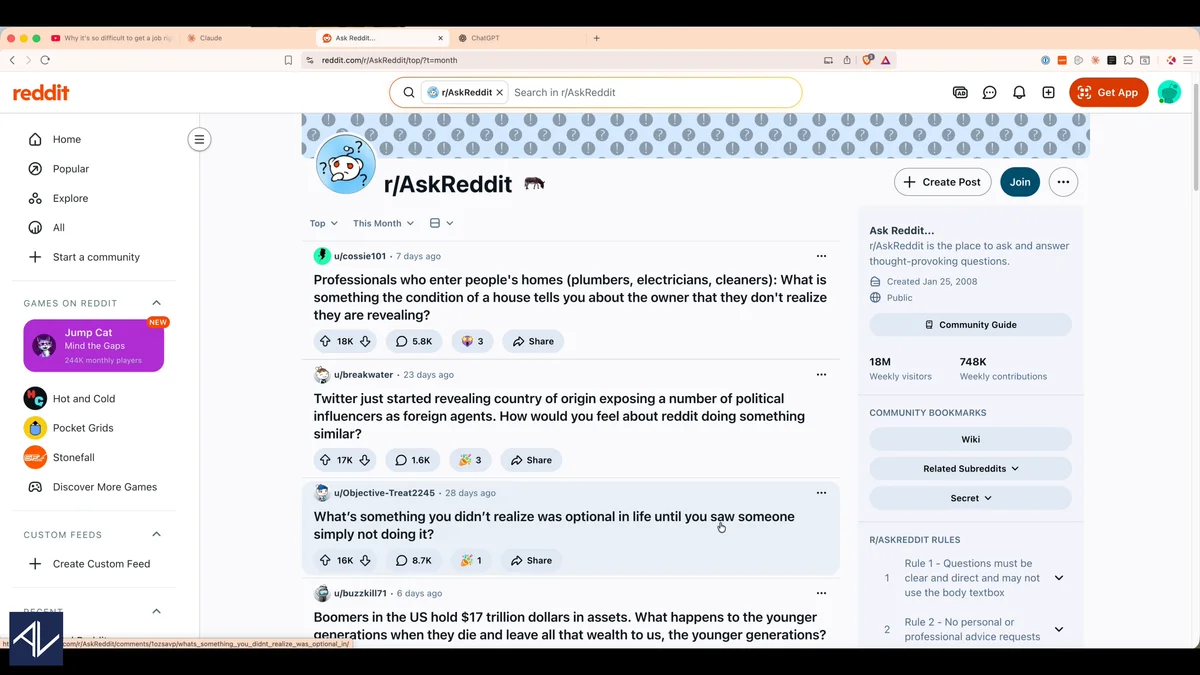
CustomGPTs, Claude Projects, and NotebookLM
Build custom AI assistants that remember your context and work the way you work. The course covers when to use each platform (ChatGPT, Claude, Google NotebookLM) and why Claude Projects is currently the strongest option for business contexts.
Terminal AI for Non-Coding Work: The Cutting Edge
This is the section that doesn't exist in any other course for business professionals.
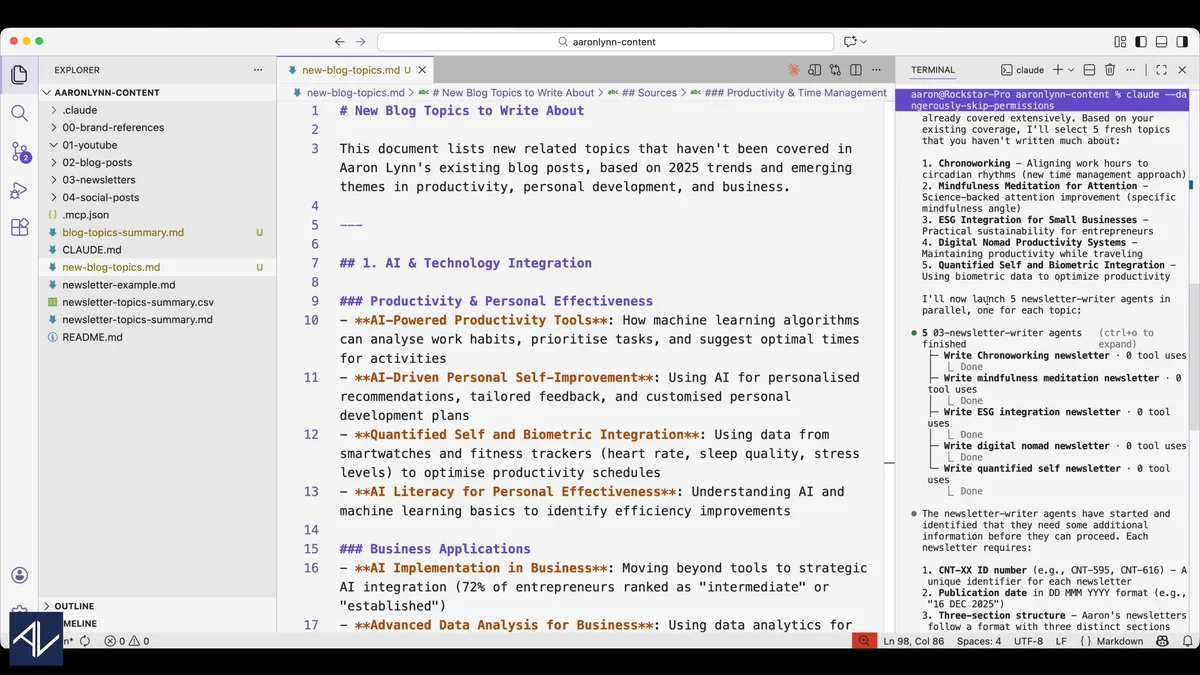
Claude Code, Codex, and Gemini CLI are terminal-based AI harnesses that most people assume are only for developers. They are not. This section sets up Claude Code from scratch, step by step, assuming you have never used a terminal, and shows you how to use it for office work: multi-document analysis, research automation, complex workflows, and subagents that run multiple AI tasks simultaneously.
This content is new. It hasn't been taught anywhere else for non-technical audiences. The people who learn it now will have a significant advantage over those who discover it in twelve months when someone wraps it in a user-friendly interface and charges ten times the price.
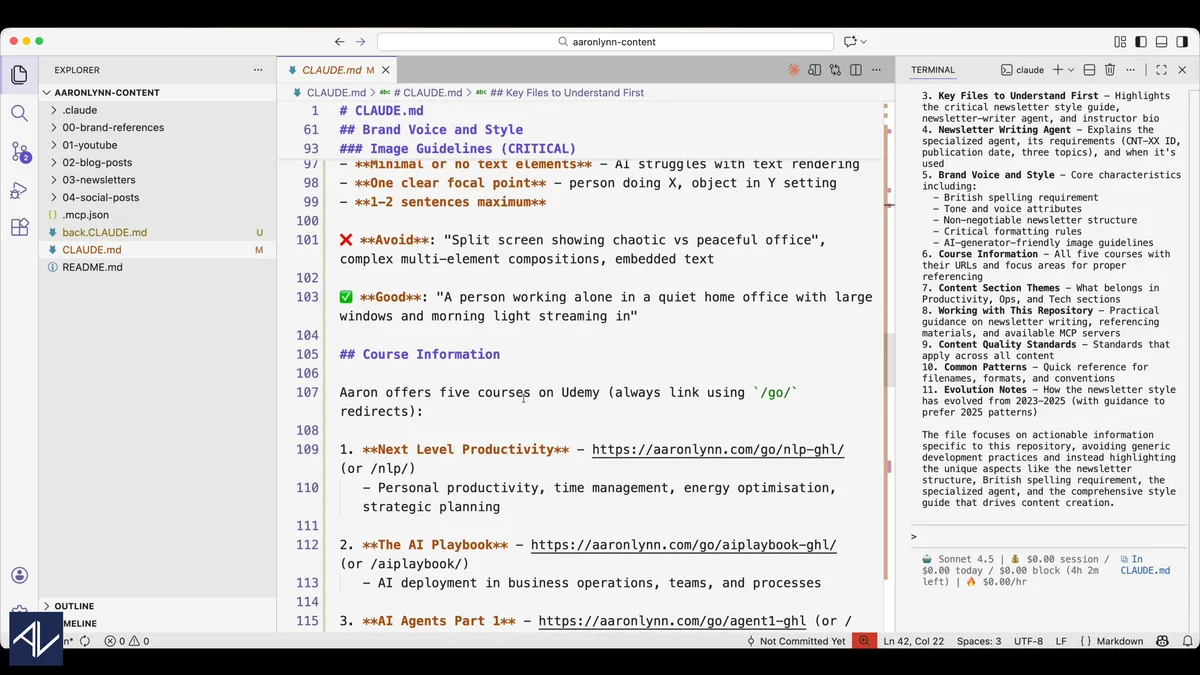
Sneak Preview
A real lesson showing how these concepts work in practice.
What This Course Will Not Do
- It won't teach you to code. The terminal AI section teaches you to use coding tools for non-coding work. You'll never write a line of code.
- It won't show you "cool AI tricks" with no workplace application. Every example is grounded in real office scenarios: emails, documents, research, data, meetings.
- It won't pretend one AI tool is the best for everything. The course covers ChatGPT, Claude, Gemini, and NotebookLM. It teaches you when each one is the right choice.
- It won't sugarcoat business reality. You need to be using a laptop or desktop to get the most out of AI.
- It won't promise magic shortcuts. AI is powerful when used deliberately. This course teaches the deliberate use, not the shortcut fantasy.
Curriculum Outline
Complete video course. From beginner to advanced terminal AI.
Watch the First Lesson — Free
Press play. This is the actual opening lesson, not a highlight reel.
- Course structure and resources.
- Which AI model is currently leading, and why it doesn't matter as much as you think.
- Setting up your environment.
- Principles of working with AI.
- How to write prompts that get excellent output first time.
- Context engineering: making AI understand your work.
- Building a personal prompt library for maximum efficiency.
- Writing and rewriting documents and emails.
- Summarising and researching information from any source.
- Data analysis: turning spreadsheets into clear insights.
- AI for meetings and calls (Fireflies, Zoom AI, Google Meet).
- Voice notes to organised content.
- ChatGPT CustomGPTs for persistent instructions.
- Claude Projects for deep business context.
- Google NotebookLM for interactive research and podcasts.
- What terminal agents are and why they're the future.
- Setting up Claude Code from scratch... step by step.
- Understanding IDEs, terminal, and markdown for non-technical people.
- Using Claude Code for office work, not coding.
- Subagents: running multiple AI tasks simultaneously.
"Excellent course on AI productivity... I have taken a few of Aaron's courses already and this one might just be the best so far. Clear explanations and useful exercises."
— Alex O.
Also included:
- Downloadable resources including prompts, templates, and materials.
- Step-by-step tutorials for every tool covered.
- Real-world examples from the business world.
- Coverage of multiple AI platforms: ChatGPT, Claude, Gemini, NotebookLM.
185,386+ students across all courses
This course gives you mastery of AI. The All Access Bundle gives you the complete operating system.
AI for Work Productivity takes you from beginner to terminal AI tools most business people have never heard of. But Claude is one platform among many — and knowing the tools is only half the picture.
The All Access Bundle adds the AI strategy framework for evaluating any tool or announcement before you spend money on it. Working AI agents built with ChatGPT and Zapier that automate your repetitive tasks without code. Manager-specific AI prompts for feedback, delegation, and team decisions. And a productivity foundation: energy management, focus frameworks, and an Anti-Fragile Calendar. All of it so you have the time and clarity to apply everything you learn.
Claude Code is the sharpest tool in the kit. The full bundle is the whole workshop.
All Access Bundle: $397 (save 37% vs buying individually)
Includes: Next Level Productivity + The AI Playbook for CEOs + The AI Agents Guide + AI for Work Productivity + ChatGPT for Managers
Frequently Asked Questions
"Very eye opening and really makes the approach to Claude Code non-threatening and understandable for a non-coder like me. Well recommended."
— Michel
Go from basic prompts to terminal AI tools.
30-day money-back guarantee. Full refund if the course doesn't deliver practical value.