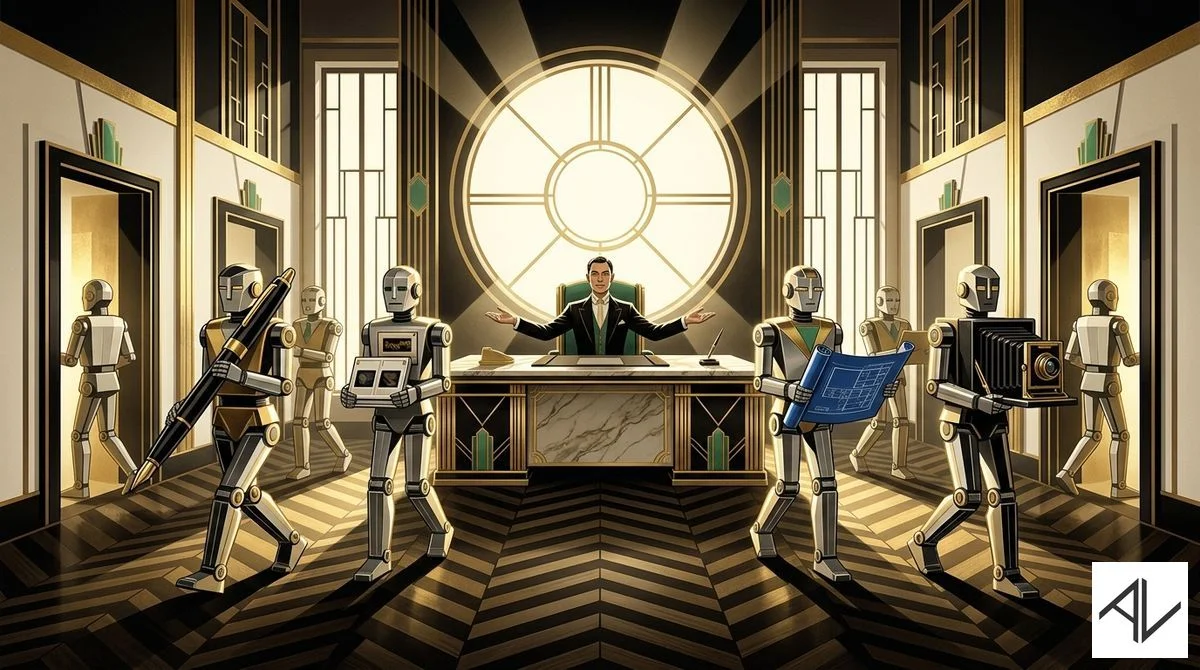
The delegation department is fully staffed.
1. The Fourth Revolution of Humanity
Agricultural. Industrial. Information. Intelligence.
We’re living through the fourth major revolution of humanity and most people don’t realise it yet. They’re treating AI like a novelty search engine or a chatbot toy.
The people who adopted the internet early — late 90s, early 2000s — built the companies and careers that dominate today. The same thing is happening right now with AI.
I had lunch with a friend recently. He and his wife just had a kid, so he used Claude Code to build an iOS app that tracks his son’s developmental milestones — what he’s doing, when he hits them, the whole lot.
My friend is a smart guy, but he’s not a developer. AI was able to extend his intelligence and let him execute on something that would have taken ages or a small team of developers before.
His take: those at the forefront will inherit the Earth.
I believe he’s right.
You don’t need to become a developer. But you need to understand what AI can do and position yourself on the right side of this shift.
The train is leaving the station. The people waiting for pretty GUI phone or web apps to “start using AI” are already behind.
2. Harnessing AI: 2 Million People Know What 8 Billion People Don’t
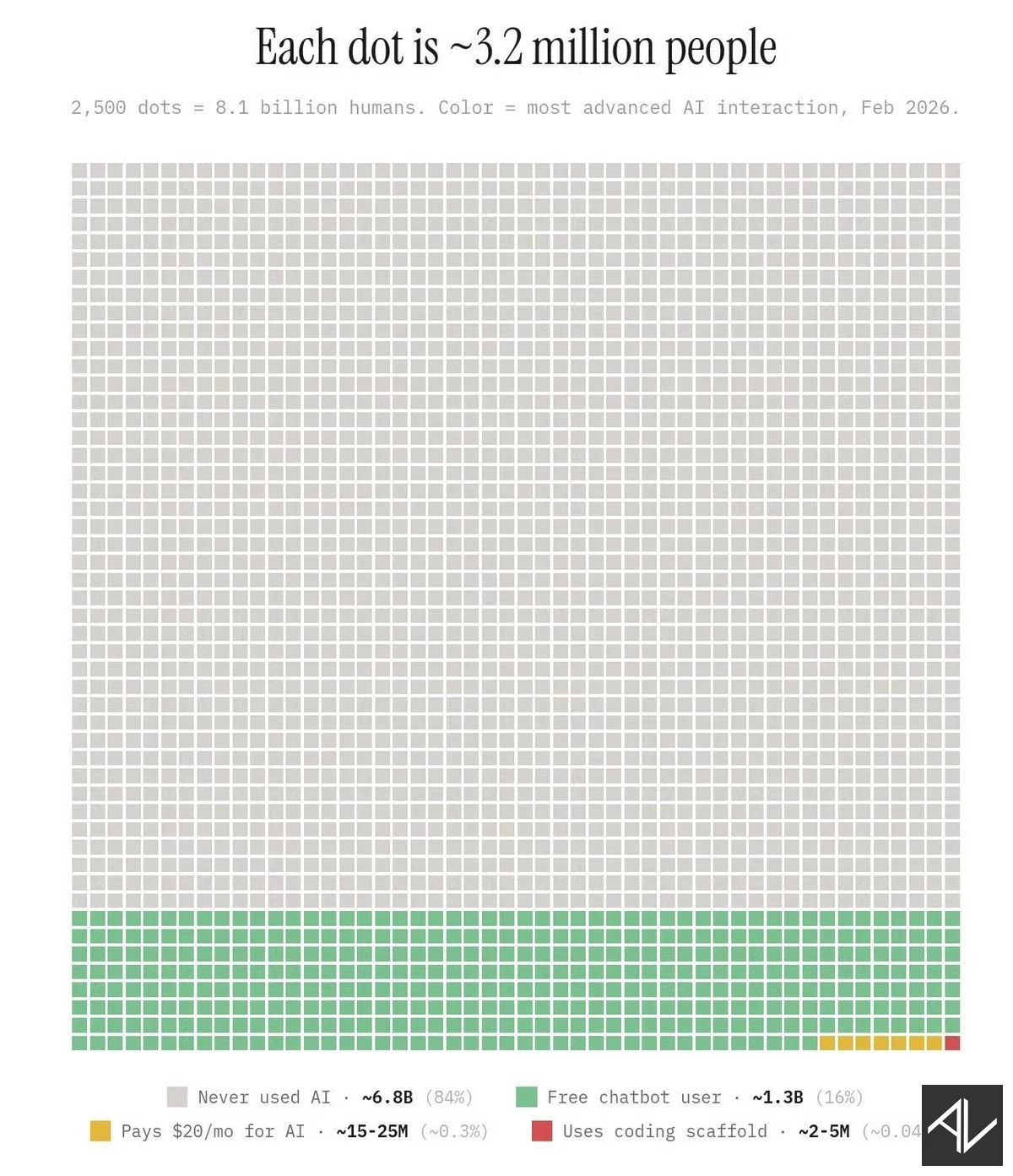
See that tiny red square in the bottom-right corner?
That’s the 2 million people who know what the other 8 billion don’t — that the future of AI is in the terminal.
You may have heard of Claude Code. Or OpenAI’s Codex.
These are known as coding scaffolds, terminal AI, or AI harnesses.
I recently taught two friends (let’s call them L & R) how to use Claude Code. Both are non-technical content creators. Neither had touched a command line before.
We started with the basics — a Claude subscription, Homebrew, VS Code, and Claude Code. From there it was about understanding how the terminal works, how to write prompts that actually direct the AI rather than just chat with it, and how to work with files and folders as context.
Within a couple of hours we’d moved on to running parallel sub-agents, creating reusable skills, and connecting external tools through MCPs.
The shift was dramatic. They went from copy-pasting into ChatGPT one prompt at a time, to running multiple sub-agents that each handle a different task independently — each with its own context and instructions, producing consistent output without polluting the main conversation.
R teaches leadership and management. He turned his entire course idea into a set of 8 modules, 50+ lessons and hundreds of slides with images, annotations and diagrams, all ready to record… in about two hours flat. And only because we had to wait for his Claude limits to reset.
Most people are still editing documents one by one. Prompt, wait, copy-paste, next document. That’s 2024 thinking.
Think of it like delegation. You don’t sit with each team member while they work. You brief them, send them off, and review the output. Retrain your thinking from “tool I chat with” to “team I delegate to.”
I walk through the full workflow in The Complete Claude, Claude Code & AI for Work Productivity. And keep an eye out for my full article on hypertasking.
3. Courses
I have a range of online courses that teach business people what they need to know about productivity and AI:
1. Next Level Productivity
A practical, straightforward course that teaches you how to achieve elite-level personal productivity in today’s constantly interrupted world.
2. The AI Agents, Automations and Agentic Workflows Guide
This non-technical course shows business people and non-coders how they can build and use AI agents in ChatGPT and Zapier.
3. The Complete Claude, Claude Code & AI for Work Productivity
A comprehensive course taking you from beginner AI concepts like prompt and context engineering, to cutting-edge AI productivity using terminal-based AI tools like Claude Code for non-coding office work. Usable with ChatGPT, Claude, Gemini and other current LLMs.
4. The AI Playbook
This is my longer premium course on how businesses can deploy AI tools and technology across their processes and teams.
5. ChatGPT for Managers
See how AI can solve complex management challenges in less than 30 seconds. Full prompt library and examples included.
That’s it for this week!
— Aaron